

 German (DE)
 French (FR)
ZUGFeRD Invoice Software – Create E-Invoices in Excel – test first, then request access
📢 Important notice: ZUGFeRD conversion with 7-PDF Attach Extract and Remove + API token is available only after testing, request and subject to availability.
PDF-to-ZUGFeRD conversion is a specialized solution for suitable, machine-readable PDF invoices and controlled manual invoice runs. Please test with your own invoices before submitting a request. Licenses and API tokens can only be provided after review.
ℹ️ Test first, then request access
The AI-assisted conversion does not replace invoicing, accounting or ERP software and is not intended for unlimited bulk conversion, unattended dark processing, SaaS/portal/managed-service use or arbitrary/scanned PDFs.
If parser errors occur during the trial, or if the generated ZUGFeRD data is not fully correct, you should not purchase a license or subscription and should use a native e-invoicing solution instead.
📥 Open guide – Invoice workflow with ZUGFeRD4Excel
 ZUGFeRD4Excel describes a controlled workflow for users who want to convert suitable invoices from Microsoft Excel or other Office programs into a review-required PDF/ZUGFeRD e-invoice.
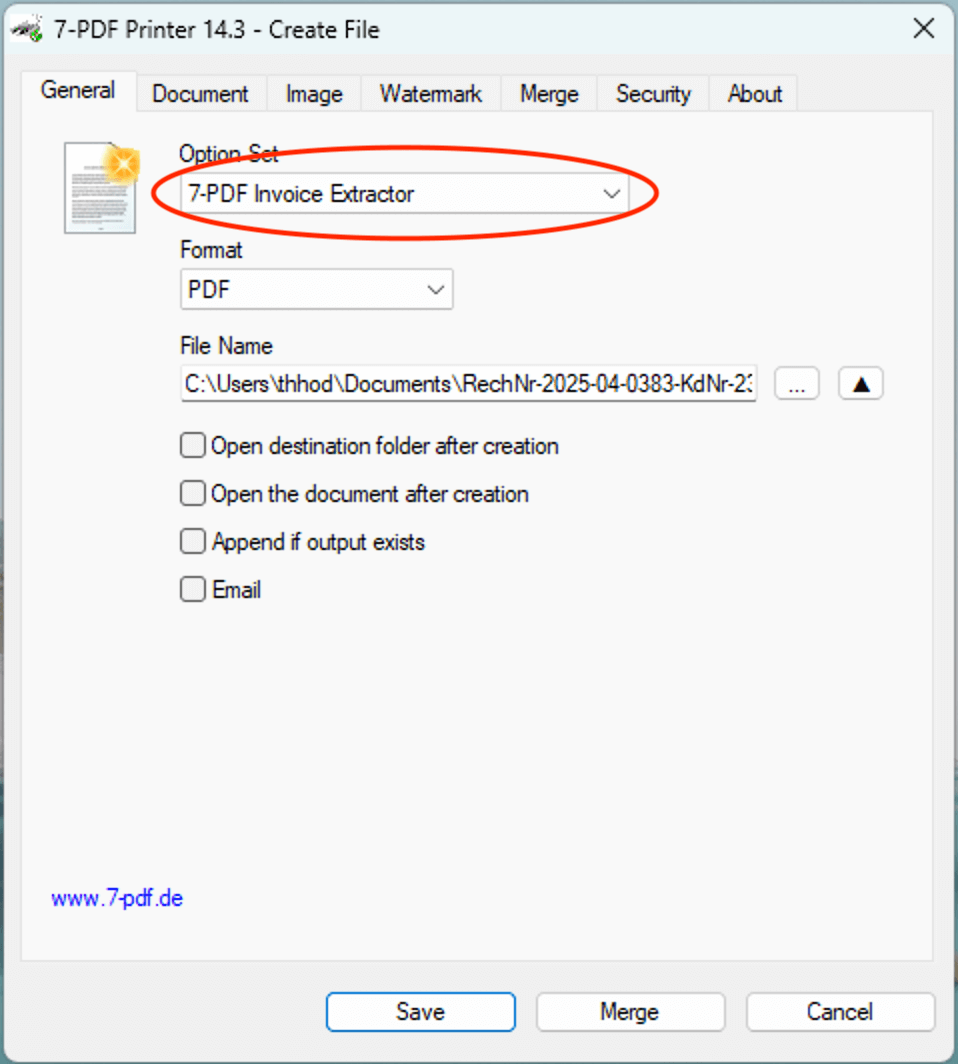
The invoice is first created in Excel and exported as a PDF using 7-PDF Printer Professional. The 7-PDF Invoice Extractor can then analyze suitable, machine-readable invoices with AI assistance and create a review-required e-invoice with embedded XML, which must be manually checked and professionally aligned with EN 16931 before forwarding.
💡 Notes on the controlled workflow
- 🖨 PDF printing from Excel, Word & Co. – as a starting point for suitable, machine-readable invoices.
- 📄 PDF/A-3 with embedded ZUGFeRD XML can be created, provided that the source data is suitable.
- 🤖 AI-assisted data extraction – can detect invoice data in suitable documents.
- 🔒 GDPR-oriented processing – with SSL-encrypted transfer and German server location when AI-assisted processing is used.
- 💡 Test first in trial mode – to check whether your own invoices are suitable for processing.
Important: The solution does not replace invoicing, accounting or ERP software with native e-invoice generation. The generated ZUGFeRD data must always be checked professionally, formally and technically before forwarding.
You’ll find a step-by-step guide with screenshots, example files, and downloads here:
👉 ZUGFeRD4Excel – Guide & Getting Started
🌐 Alternative: ZUGFeRD Online Portal
Alternative use: Suitable PDF invoices can also be processed in the online portal. Use our ZUGFeRD Online Portal at https://konverter.zugferd-rechnungen.de/en/
- 📄 Save your Excel or Word invoice as PDF
- 🔼 Upload PDF – convert with AI support into a review-required PDF/ZUGFeRD e-invoice
- 💾 Download your PDF with embedded XML and check it afterwards
To use the service, you need an approved 🔐 API token for our AI-assisted invoice data extractor (7-PDF Invoice Extractor). API token packages are only available after prior testing, request, review and availability check.
✅ GDPR-oriented processing
🌐 Browser-based processing of suitable PDF invoices
📲 OS-independent – also usable on tablets, smartphones & more
🇩🇪 German server location
🔐 SSL-encrypted data transfer
👨💻 We do not store invoice data permanently
🎬 Video: ZUGFeRD Online Portal
🎯 Conclusion
ZUGFeRD4Excel can be a controlled workflow for suitable, machine-readable invoices to create review-required PDF/ZUGFeRD e-invoices from Excel or other Office programs. Before productive use, your own invoices should be tested in trial mode and all generated results should be checked carefully.
⚠️ Manual review required
AI-assisted ZUGFeRD e-invoices must always be checked visually, technically and content-wise before being forwarded. Responsibility for the invoice remains with the user.